Customer Guide
Scan a label, explore the wine and understand what the passport checks. No wallet is needed to browse or ask a wine question when AI is available.
Start With Your Phone Camera
Point the camera at the bottle QR and tap its website link. Confirm the wine name, producer and batch ID, then scroll for details. These screenshots show a fictional wine on Android. For home testing, use the same Wi-Fi as the host computer and keep the app running. Localhost links do not reach that computer from your phone.
Record integrity, producer statements and bottle serial recognition are separate results. A copied QR can show the same result; physical authenticity needs separate evidence.
1. Open The Passport
What to do
Scan the QR and confirm that the wine name, producer and batch ID match the bottle you intend to view.
What the green result means
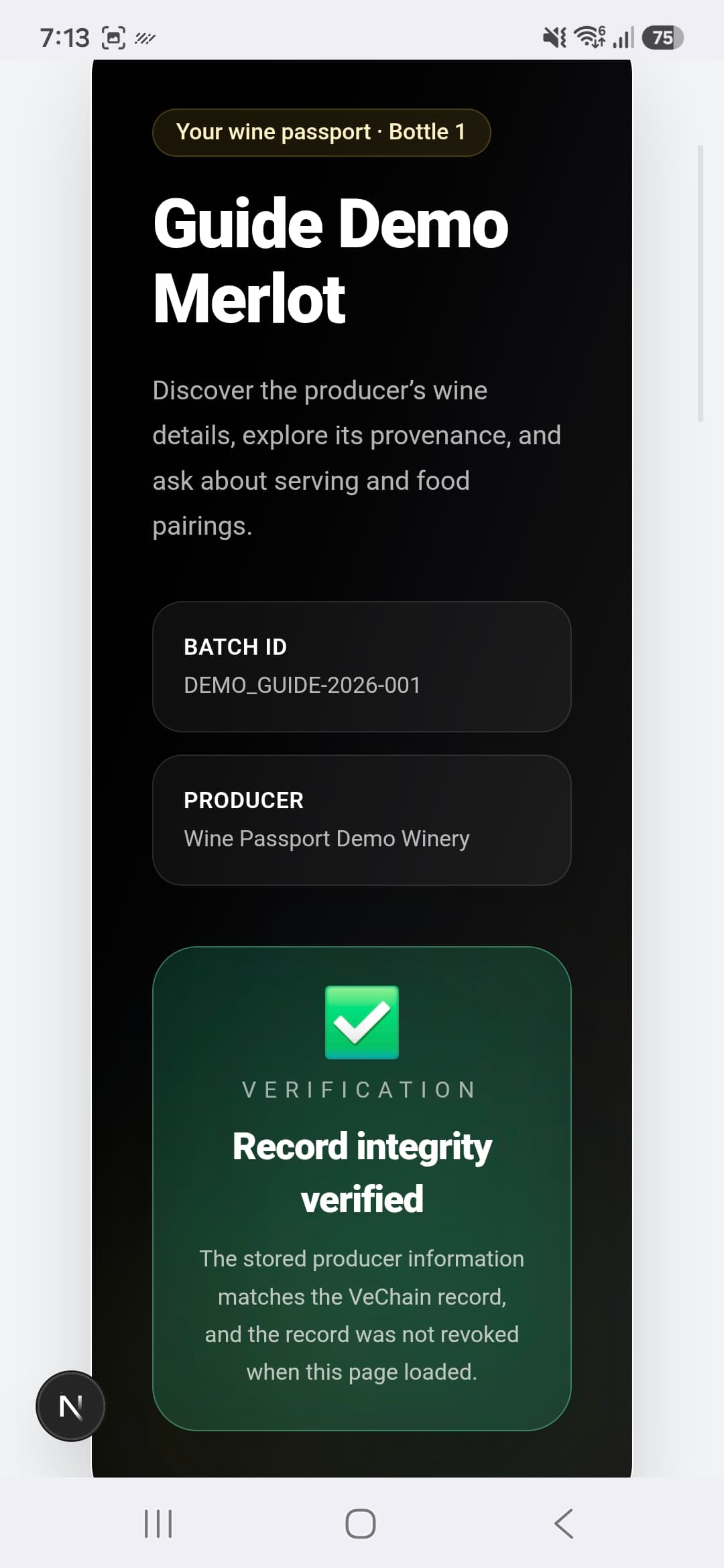
Record integrity verified means the retrieved producer metadata matched the VeChain record and the batch was not revoked when checked.
Remember
This is a digital record check. It does not independently certify wine quality, producer claims or bottle authenticity.
View Screenshot: Open The Passport
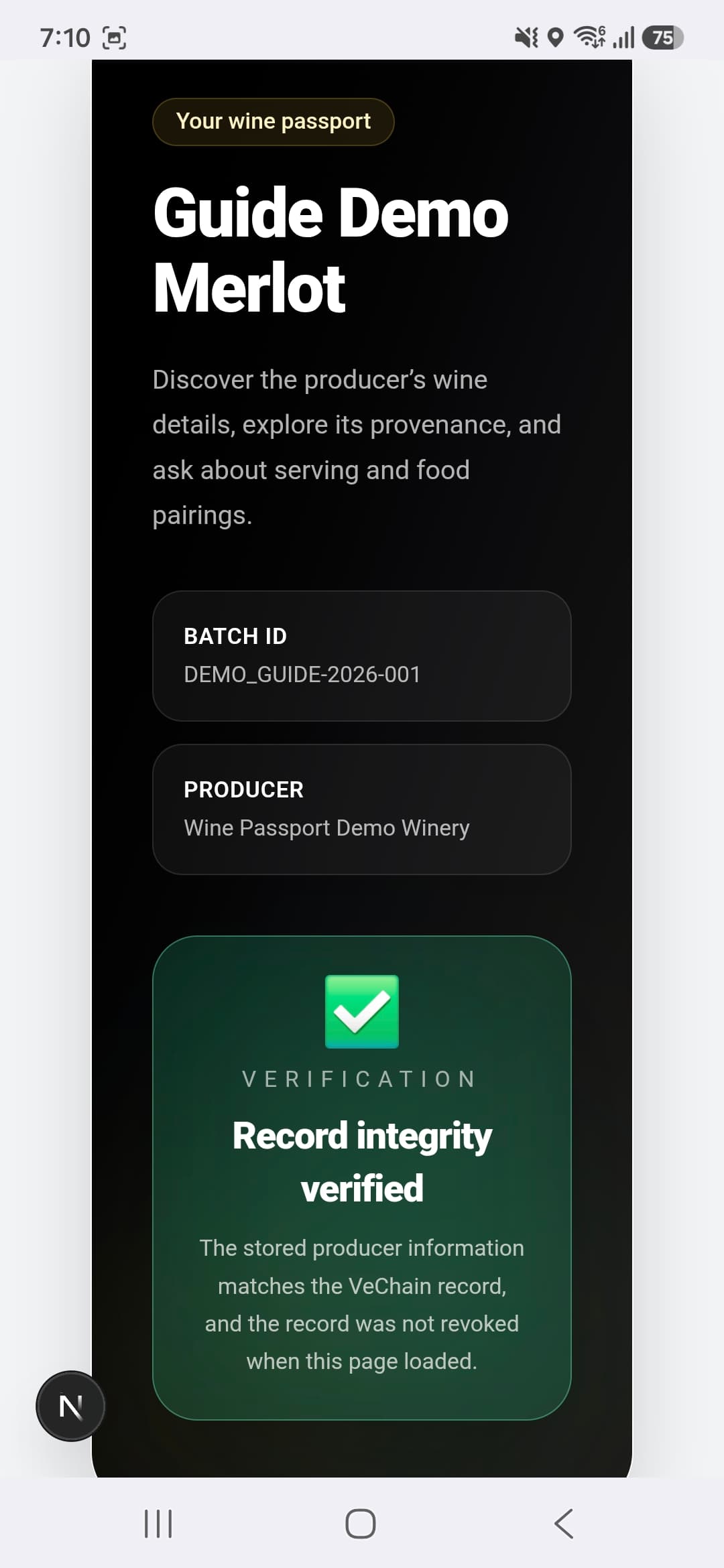
2. Read The Wine Details
What to do
Scroll down to Wine Details. Read the producer, region, country, style and vintage.
Who supplied this?
The wine details are producer-provided statements. The record check protects their recorded integrity; it does not independently establish their truth.
Missing information
A dash or Not provided means that information was not supplied. Do not infer a value from an empty field.
View Screenshot: Read The Wine Details
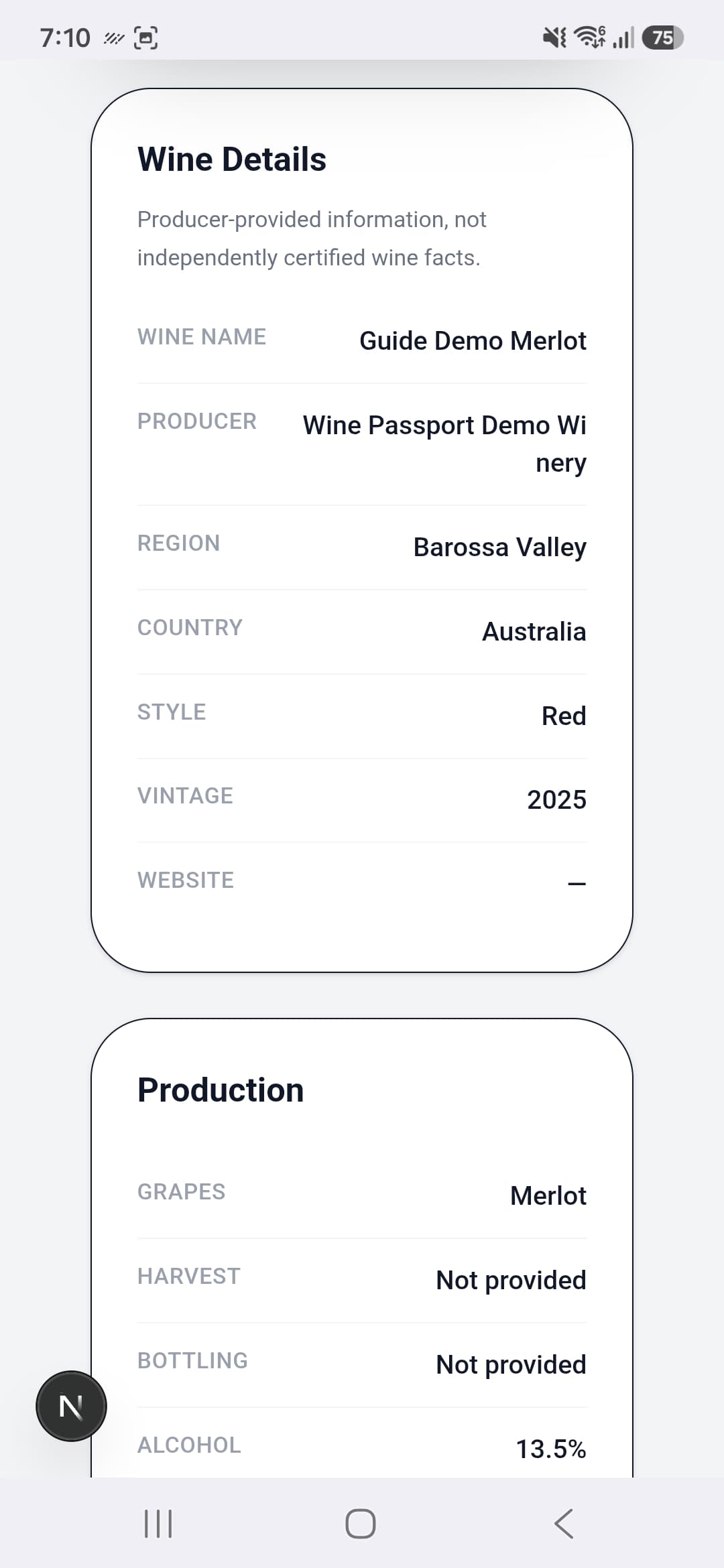
3. Check Production Information
What to do
Read the grape varieties, harvest date, bottling date and alcohol entry in Production.
Optional information
Dates and descriptions may be absent. This example has no harvest date, bottling date or description.
Keep reading
When supplied, other sections may include ageing, tasting notes and producer serving advice. A Valid record label does not measure the wine itself.
View Screenshot: Check Production Information
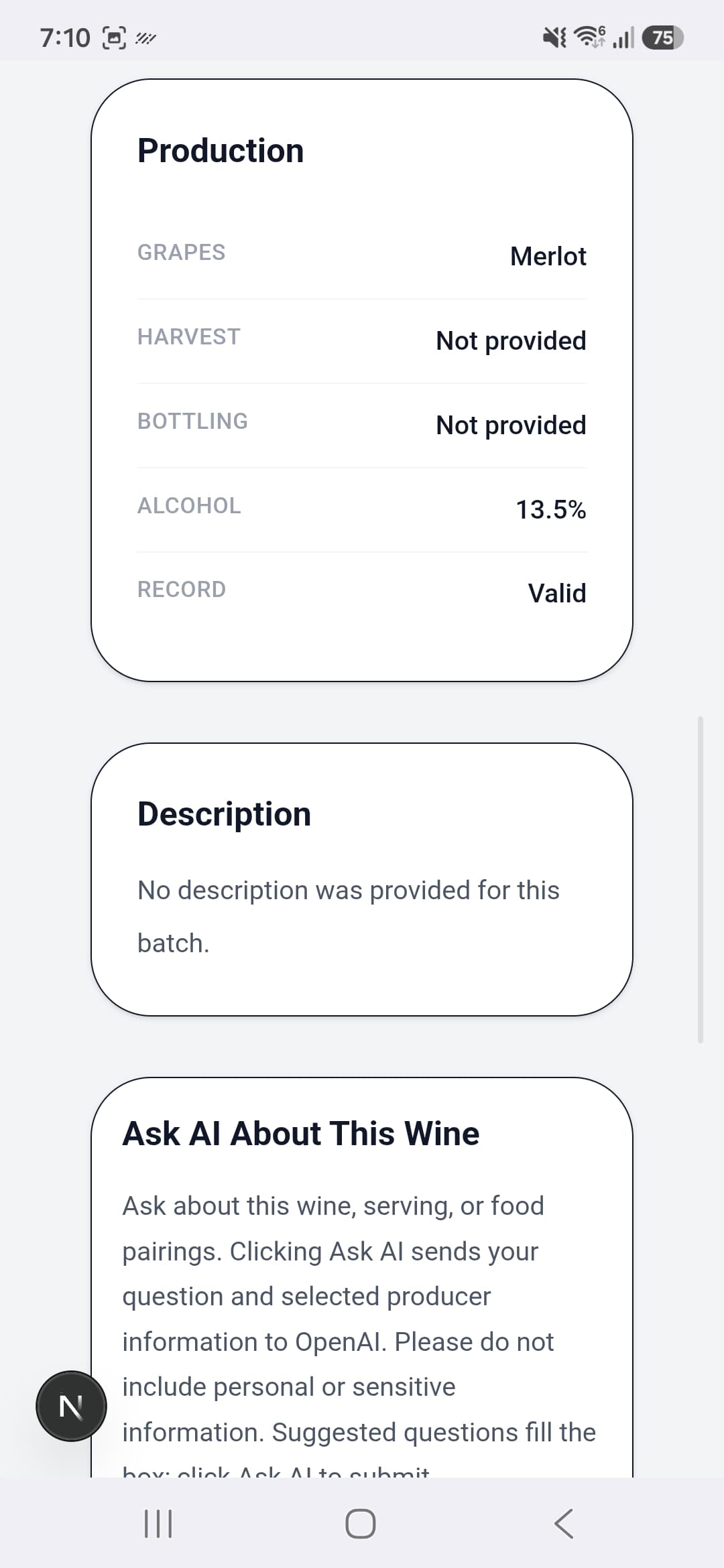
4. Ask A Wine Question
What to do
Tap a suggested question to fill the box, or type your own question. Tap Ask AI to submit it.
Try asking
What foods generally pair with Merlot? Or: What serving temperature does the producer recommend?
Before submitting
Your question and selected producer information are sent to OpenAI. Do not include personal details, private claim codes, passwords or wallet recovery phrases.
Availability
AI may be limited or disabled during testing. Each question is answered independently; include the context it needs.
View Screenshot: Ask A Wine Question
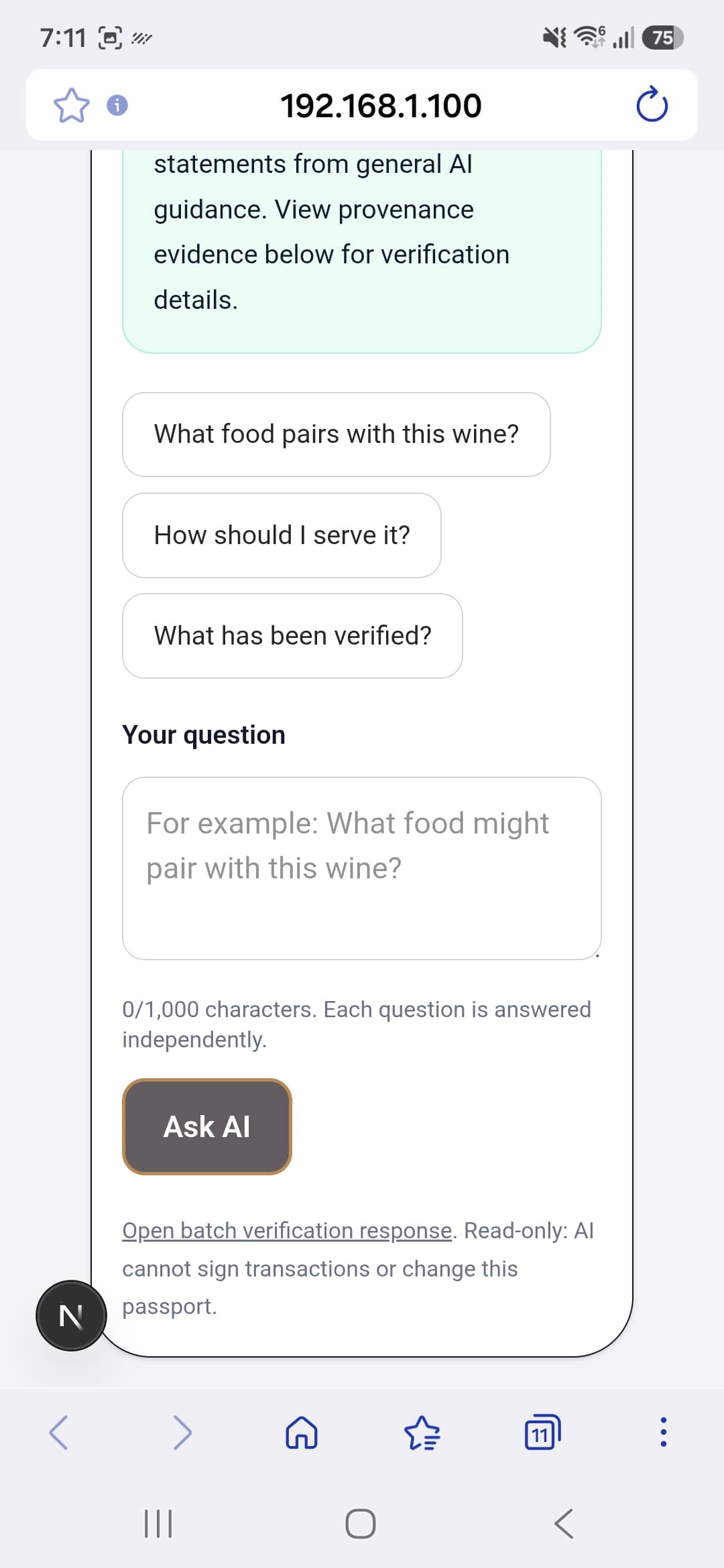
5. Understand The AI Answer
What to do
Read the answer first. Its section heading tells you whether it is general wine guidance, producer information or an explanation of record checks.
This example
General Wine Guidance offers pairing ideas. They are suggestions, not producer-confirmed recommendations for this particular bottle.
Look below the answer
Open About this AI answer, Record integrity checked or Producer information used when you want more detail. AI can be mistaken and cannot sign transactions or change the passport.
View Screenshot: Understand The AI Answer
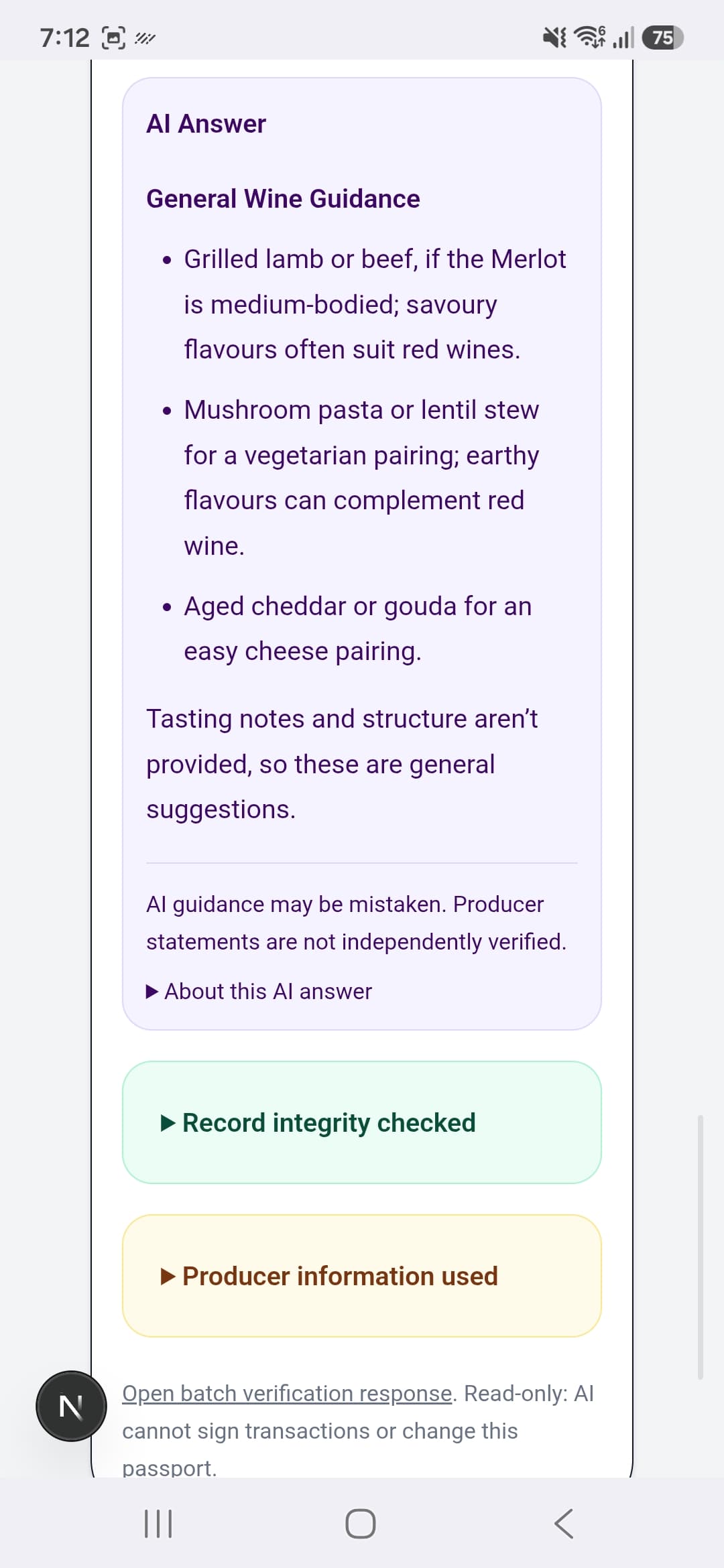
6. Review The Record Check
What to do
Expand Record integrity checked below an AI answer to read the check result and its time.
Why the time matters
The result describes the check at that time. The application rechecks record integrity with each wine question.
Separate from the answer
The hash match and revocation check come from application checks. The AI explanation is not additional verification of wine quality or physical authenticity.
View Screenshot: Review The Record Check
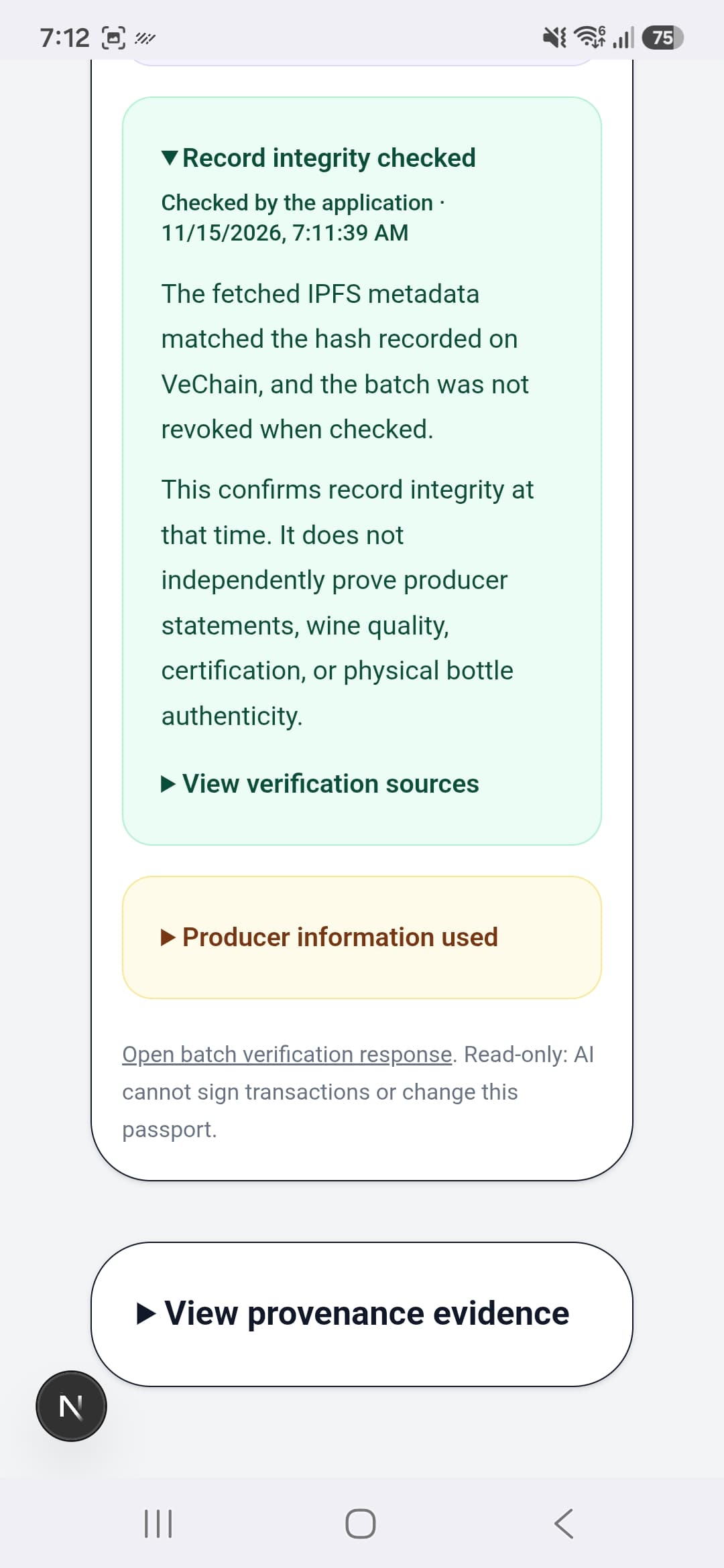
7. See The Producer Information Used
What to do
Expand Producer information used to see the entries supplied to the assistant for that answer.
Why this helps
Compare the answer with the recorded wine details. Missing tasting notes or other fields limit how specific an answer can be.
Alcohol example
Some evidence views show the raw recorded value, such as 13.5. Refer to the main Production section for its displayed percentage. Do not treat a raw entry as an independent laboratory measurement.
View Screenshot: See The Producer Information Used
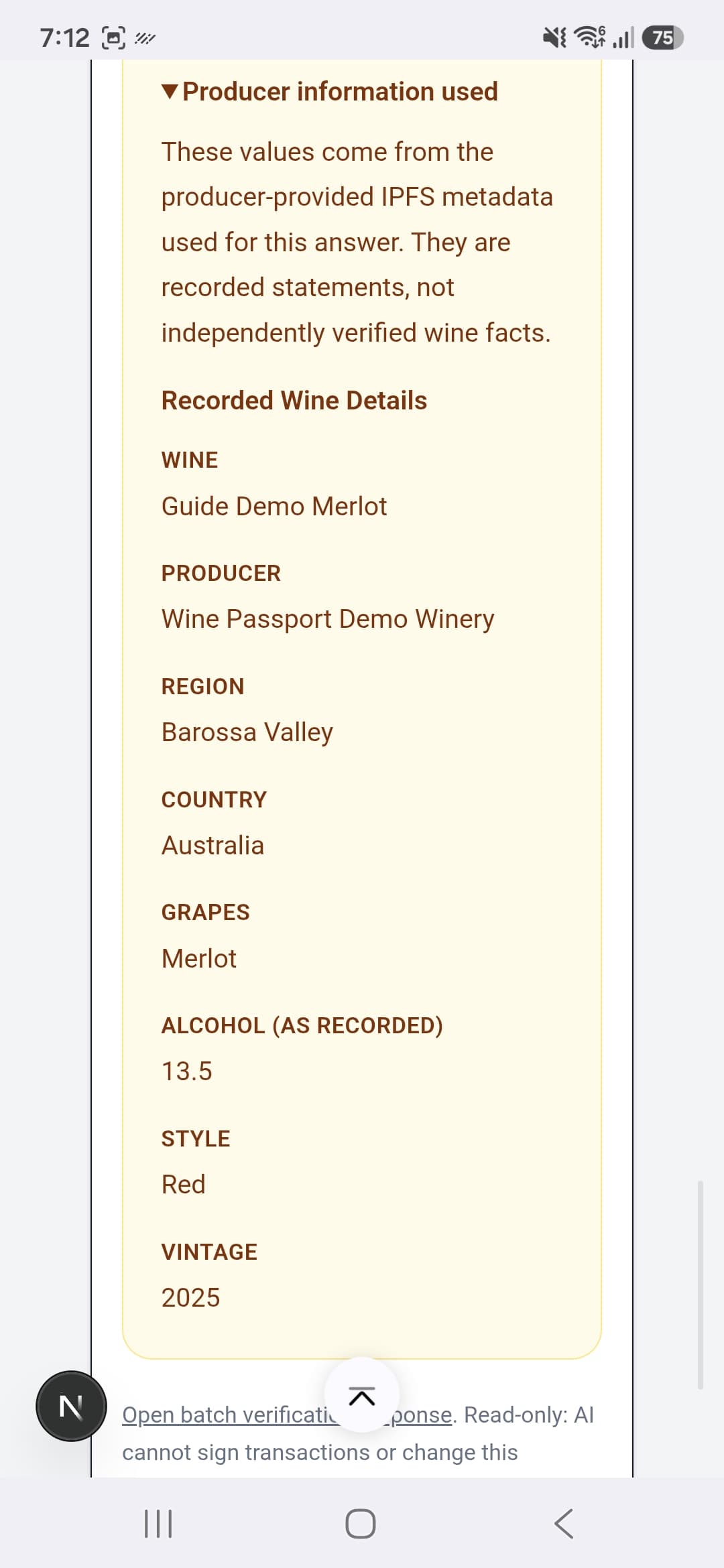
8. Explore Provenance Evidence
What to do
Expand View provenance evidence to see the IPFS CID, on-chain data hash, computed hash and other record information.
What these identify
The CID identifies stored IPFS content. The on-chain and computed hashes are compared to check record integrity.
You do not need to copy them
Ordinary browsing does not require understanding the code-like strings. The check result and explanation are the useful summary. Stored evidence is distinct from an authenticity certificate.
View Screenshot: Explore Provenance Evidence
9. Open A Bottle Protection Label
Look for the bottle number
After scanning an individual Bottle Protection QR, the passport heading includes Bottle 1, or the serial assigned to that label.
Same wine, individual serial
The wine name, producer and batch ID identify the wine batch. The bottle number adds a separate serial check to the same passport page.
Continue down the page
Scroll below the main passport heading to Bottle 1 Checks. The next page shows the separate batch and bottle results.
No wallet required
Reading this bottle page does not require claiming a collectible. The phone NFT claim flow has not yet been tested or captured for this guide.
View Screenshot: Open A Bottle Protection Label
10. Read Individual Bottle Checks
When this appears
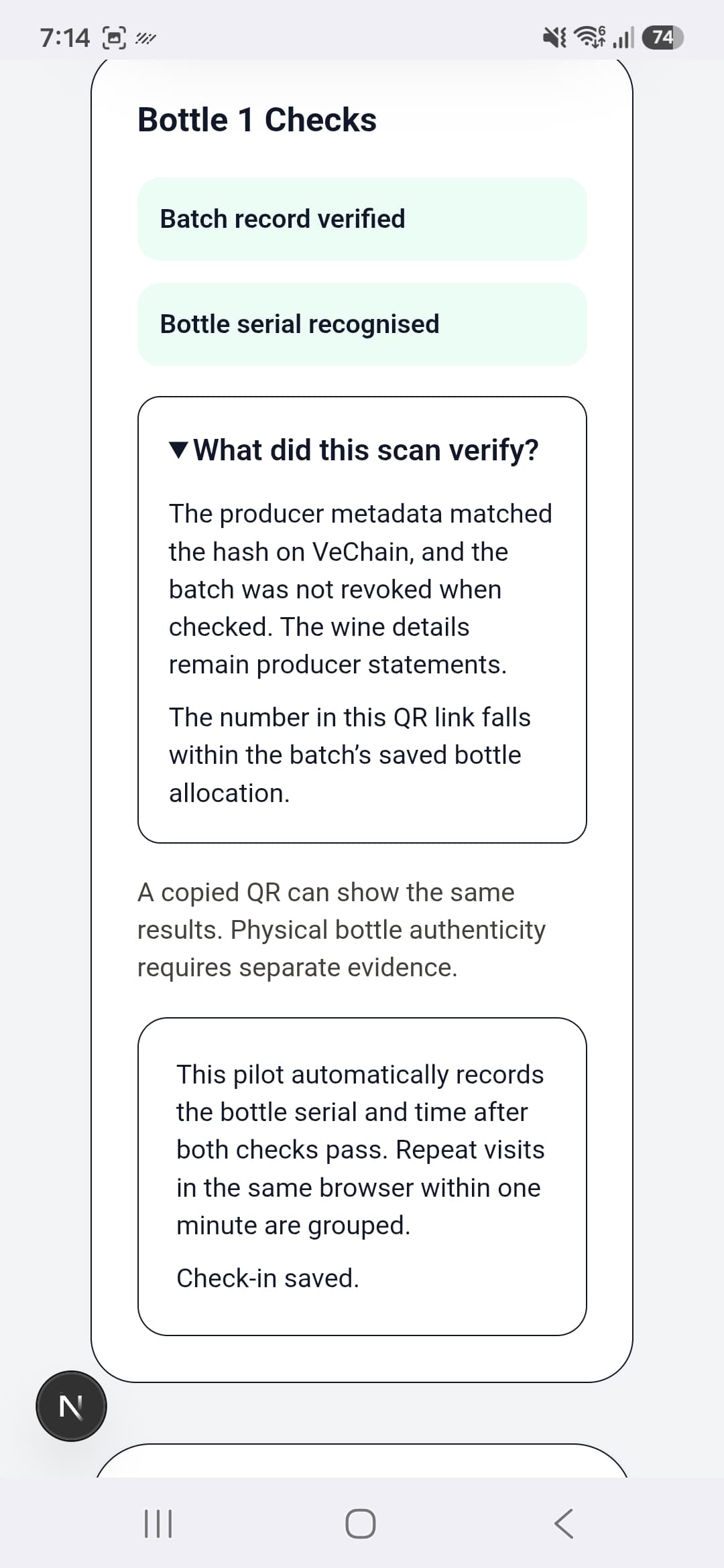
A bottle-specific QR can include a serial number. A batch-only QR may open the passport without individual bottle checks.
Two separate results
Batch record verified concerns the metadata record. Bottle serial recognised means the number is within that batch's saved bottle allocation.
A copied QR
A copy can return the same recognised serial. This result does not determine whether the physical label or bottle is genuine.
Check-ins in this pilot
After both checks pass, the pilot records the serial and time. Repeat visits in the same browser within one minute are grouped. A check-in is not proof of purchase.
View Screenshot: Read Individual Bottle Checks
Help And Optional Collectibles
If the passport will not open during home testing, check Wi-Fi and ask the host to confirm the app is running. An unavailable check is not a confirmed mismatch. For an unrecognised serial, ask the host or producer to review the bottle link. If AI is unavailable, you can still read the passport; refreshing does not reset its allowance.
NFT claiming is optional. The phone claim flow has not yet been tested or captured for this guide. The current local wallet flow uses Sync2 on a computer; do not assume every mobile wallet is supported. Keep hidden claim codes and recovery phrases private.
End Of Customer Guide
You have reached the end of this edition. You can now explore a passport, ask a wine question and read the separate record and bottle checks. Send feedback to your test host without including passwords, private codes or wallet recovery phrases.
Back To Help